Canva Template for Yoto MYO Labels
Created about 20 Yoto labels using Canva before switching methods. It's solid when you want complete creative control over layout and text. Expect 12-15 minutes per card once you've learned the process.
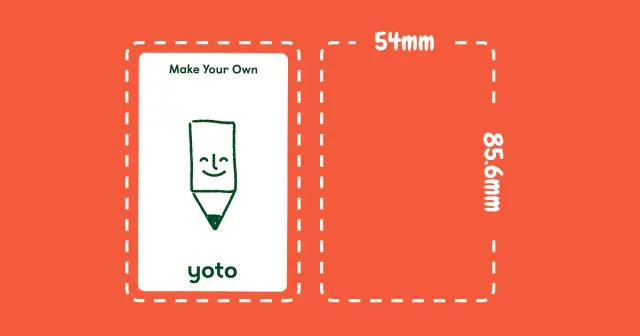
The short version: Configure Canva canvas to 54mm × 85.6mm (roughly 2.1" × 3.4"), build your design, export as PDF. Or bypass Canva and use a tool that handles sizing automatically in under 3 minutes.
Step-by-step Canva instructions if you prefer designing manually.
When Canva Makes Sense for Yoto Labels
Canva works well when you:
- Need precise control over text positioning and multiple graphics
- Like the creative design process
- Have 12-15 minutes to spend per card
Why I moved to an automated approach:
- Recreating the same canvas dimensions got repetitive
- Every image needed manual cropping and sizing
- Had to remember correct export format each time
- Built something that eliminates these steps
Standard free Canva is sufficient. Premium subscription unnecessary for Yoto MYO label creation.
Configuring Canva Canvas
Getting Dimensions Right
For millimeter precision (recommended):
- Navigate to Canva.com
- Select "Create a design" → "Custom size"
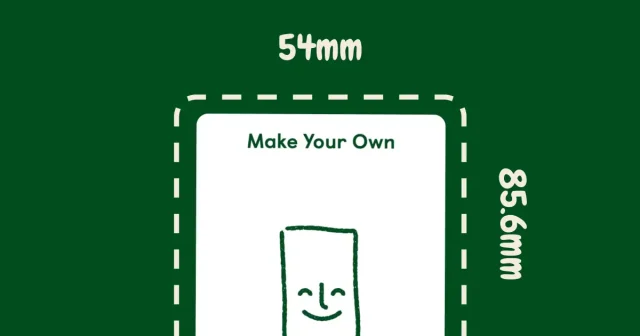
- Input: 54 × 85.6 mm
- Verify units show mm, not inches or px
Using inches instead:
- Width: 2.1"
- Height: 3.4"
Millimeter measurements match exact Yoto card dimensions more accurately.
Setting Up Safety Margins (Recommended)
Text closer than 6mm (0.25") to edges risks getting trimmed during cutting.
In Canva:
- Go to File > Settings > Show rulers and guides (or press Shift + R)
- Pull guide lines from rulers
- Position guides roughly 6mm inside each edge
- Keep all text within these boundaries
Building Your Label Design
Import images or select from Canva's library. Add text elements as desired. Simple designs work best—kids recognize cards by main visuals, not elaborate layouts.
Effective approaches:
- Single dominant image
- Large, readable title text
- Clean background color
What to avoid:
- Cluttered compositions (overwhelming for children)
- Tiny text (unreadable from distance)
- Complex backgrounds (obscures main image)
You'll need something to print on. Parents use different methods—vinyl sticker paper holds up well to handling, matte sticker paper costs less, some use photo paper for nicer finish. We started with regular sticker paper and it worked fine. Some parents even print on regular paper and use clear tape.
Downloading Your Design
When design is complete:
- Click "Share" → "Download"
- Select file type: PDF Print (not PNG or JPG)
- Hit Download
PDF Print format delivers optimal print quality. PNG and JPG files work but produce less crisp results.
Why I Created an Alternative Tool
After producing 20 labels through Canva, these steps became tedious:
- Recreating identical 54 × 85.6mm canvas repeatedly
- Cropping and resizing each image manually
- Remembering to choose "PDF Print" format
- Investing 12-15 minutes per single label
Developed a tool completing this in under 3 minutes. Drop in any photo, it handles dimensions, you print. Solved my own problem.
Common Canva Questions for Yoto Labels
What canvas size for Yoto labels in Canva?
Configure Canva to 54mm × 85.6mm (approximately 2.1" × 3.4"). Matches actual Yoto card specifications.
Should I use a Canva template for Yoto cards?
Skip templates. Establish custom dimensions (54 × 85.6mm) and build from blank canvas. Business card templates have incorrect proportions.
How do I create Yoto MYO labels in Canva?
- Set custom dimensions: 54 × 85.6mm
- Build your design
- Export as PDF Print format
- Print on adhesive paper
PDF or PNG for Canva Yoto labels?
Choose PDF Print. Delivers superior quality and works with any printer type.
Is Canva Pro required for Yoto labels?
No. Standard free Canva handles everything needed. Pro offers more graphics but isn't essential.
Can I batch create multiple Yoto labels in Canva?
Canva requires designing each label individually. For batch creation, automated tools work better—add multiple images and generate complete sheets at once.
---
Last updated: December 18, 2025